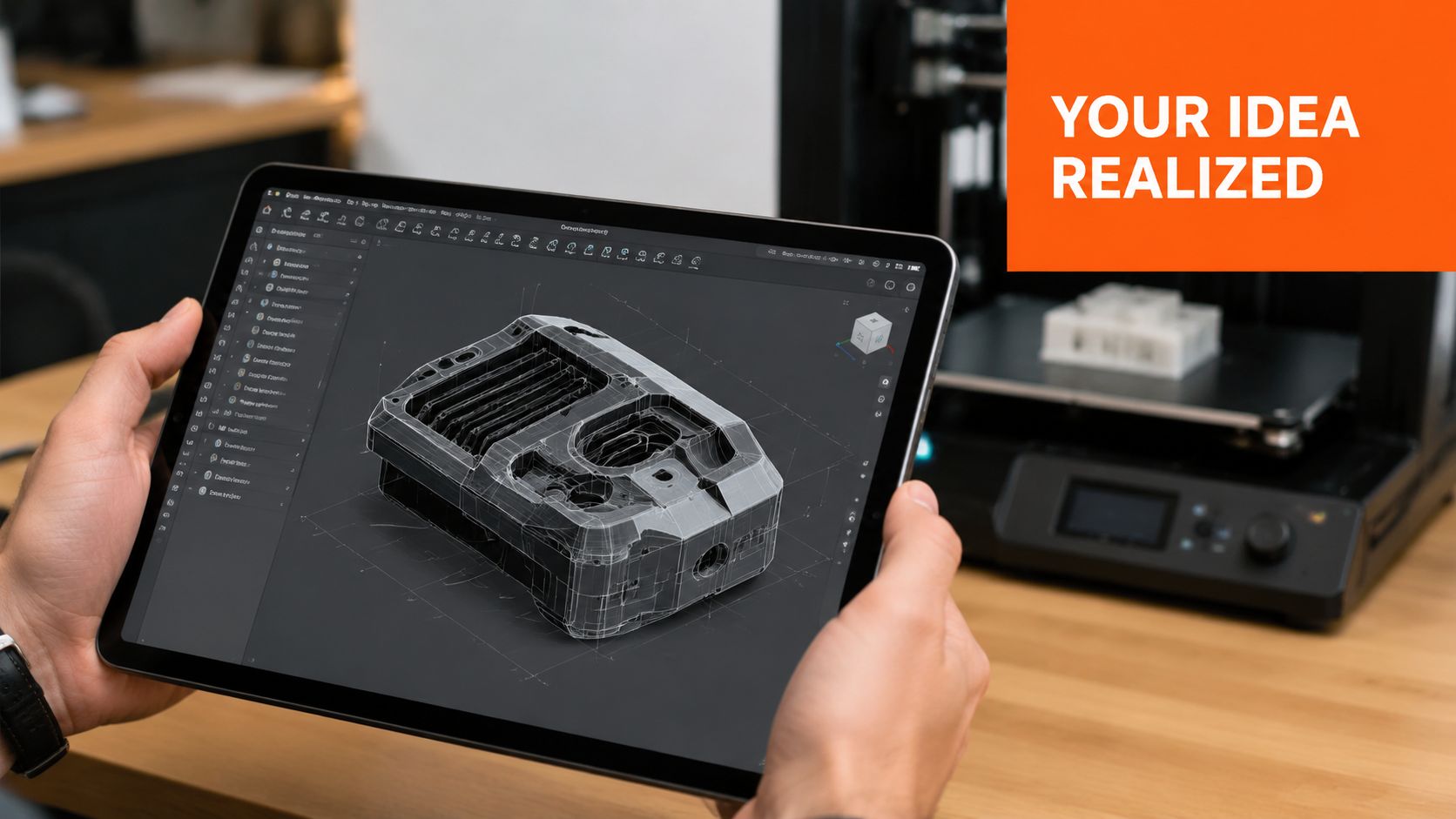
You probably have a CAD file open right now and no clue what to do next.
Maybe it's a product enclosure, a custom insert, a jewelry concept, a replacement part, or the first sketch of a hardware brand you want to build. On your screen, it looks done. In real life, it doesn't exist yet. That gap is where most founders waste money.
I've seen people buy a printer too early, pick the wrong material, trust a nice-looking quote, then wonder why the part feels cheap, warps, or flat-out doesn't fit. A 3d printing hub can save you from that, but only if you use it the right way. If you treat it like a vending machine, you'll still burn cash. If you treat it like a smart shortcut, you'll move faster.
What Exactly Is a 3D Printing Hub
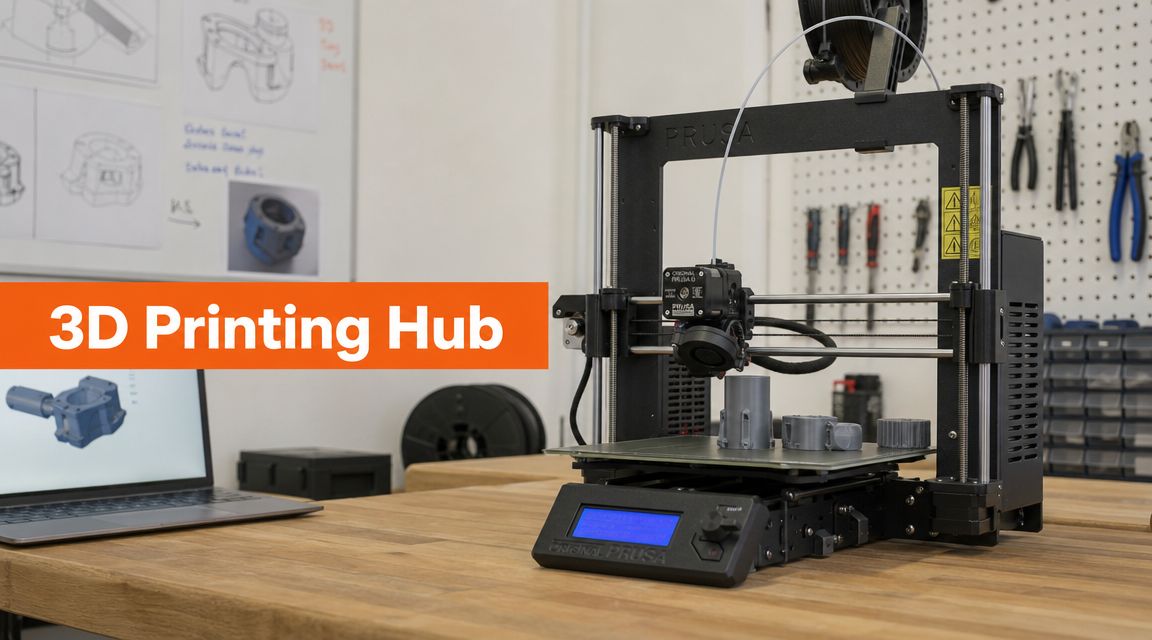
A 3d printing hub is the middle ground between “I have an idea” and “I own a pile of expensive machines.”
If you've got a 3D model but no production setup, a hub gives you access to printers, materials, and people who know how to turn a digital file into a real object. It functions much like a shared kitchen for inventors. You don't buy the industrial oven first. You rent access to the kitchen, test recipes, screw up a few batches, and figure out what people want before you build your own.
What you actually get from a hub
Some founders think a hub is just “someone else's printer.” That's too narrow.
A real hub usually gives you a mix of:
- Machine access if you want to print yourself
- Print-on-demand service if you want to upload a file and get a part back
- Material options so you're not stuck with one plastic
- Basic design feedback when your file has obvious problems
- Post-processing like cleanup, curing, sanding, or finishing
That mix matters because your first prototype usually fails in boring ways. Walls are too thin. Screw bosses crack. Lids don't snap shut. Tolerances look fine in CAD and turn into a headache in your hand.
Practical rule: Your first prototype is for learning, not for impressing anyone.
This isn't some tiny hobby corner anymore. The global 3D printing market is projected to reach USD 28.55 billion in 2026 and USD 136.76 billion by 2034, and North America held 40.80% of the market in 2025, according to Fortune Business Insights on the 3D printing market. That matters for one reason. You've got real options now. You don't need to act like you're hacking together a moonshot in your garage.
What a hub is not
A hub isn't magic. It won't rescue a bad design by itself.
If your geometry is sloppy, your expectations are fuzzy, or you can't explain what the part needs to do, the hub can only guess. And guessing is expensive.
Use a hub when you need to answer practical questions fast:
| Question | What the prototype should tell you |
|---|---|
| Does it fit | Check assembly, clearances, and hand feel |
| Does it work | Test basic function, load, heat, or motion |
| Does it sell | Show it to buyers, retailers, or investors |
| Can I repeat this | Learn what might break at small-batch scale |
That's the main point. A 3d printing hub helps you learn with physical parts before you make bigger bets.
Three Kinds of Hubs You Will Encounter
People throw around “3d printing hub” like it means one thing. It doesn't. You'll run into three different animals, and they solve different problems.
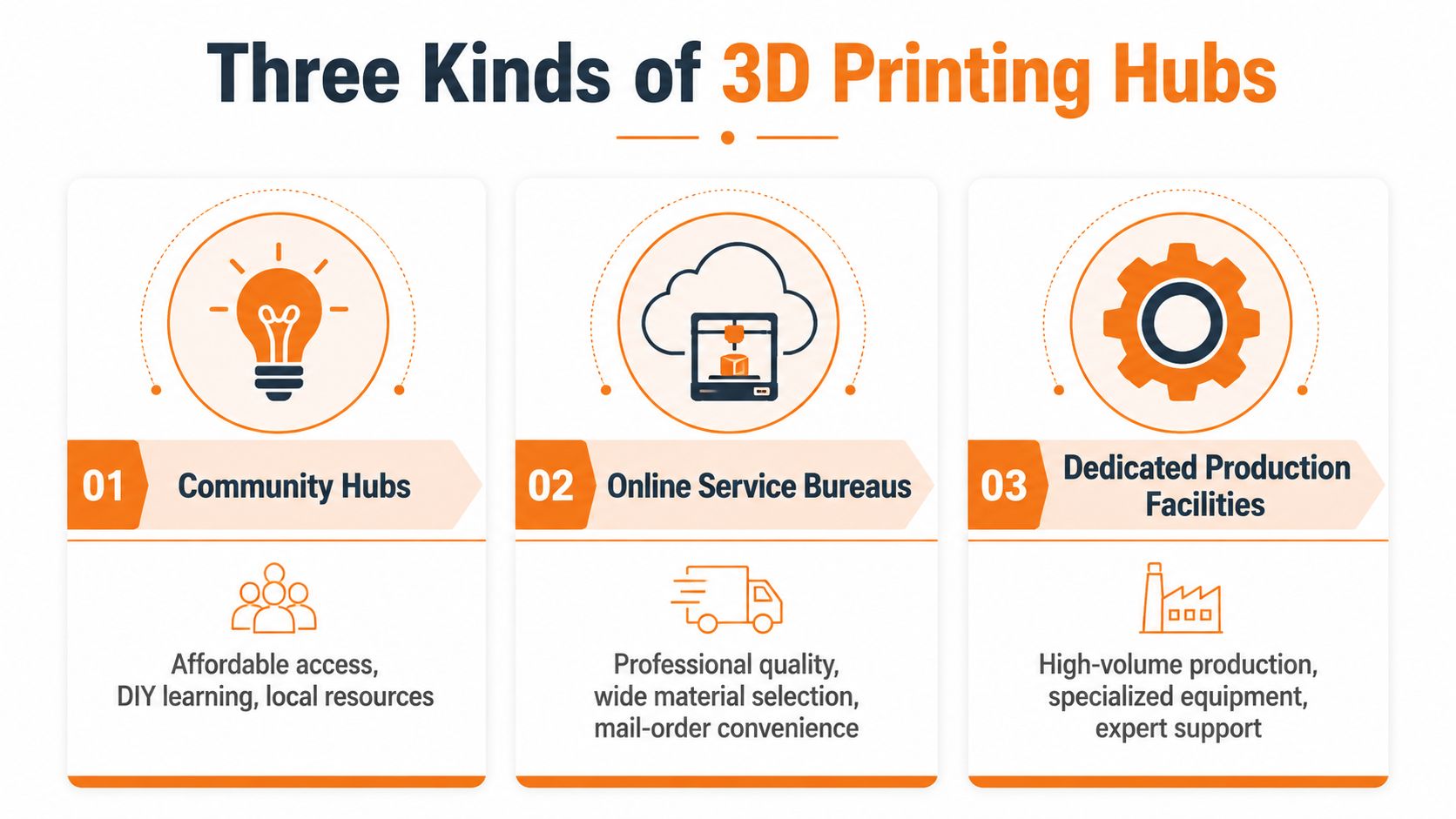
Community hubs
These are makerspaces, libraries, school labs, and local workshops. You usually pay for membership, training, or machine time. You do more of the work yourself.
This is a good fit if you're early, broke, curious, and willing to learn by doing. It's also useful if you know your prototype will take several ugly rounds before it becomes decent.
What you get:
- Cheap experimentation because you're not paying full service rates every time
- Hands-on learning that helps you understand what your file does in practice
- Local access if you need to tweak and reprint fast
What you don't get:
- Consistent finish
- Tight process control
- A lot of hand-holding
If your part needs machining after printing, this guide on what a machine shop is helps you understand where 3D printing stops and traditional fabrication starts.
Online service bureaus
These are the upload-your-file-and-get-a-quote shops. They're fast, convenient, and usually easier for nontechnical founders.
You send the CAD or mesh file, choose a process, choose a material, approve the price, and wait for the box. For many startups, this is the cleanest move.
These shops are best when:
- You care about professional finish
- You need multiple process options
- You don't want to babysit a printer
- You'd rather spend your time on sales, packaging, or customer research
If your calendar is packed, buying a printer can become a side business you never meant to start.
Dedicated production facilities
The work becomes significantly more demanding. These facilities have industrial equipment, tighter workflows, and staff who deal with complex parts all day.
Use them when your part has a real job to do. Maybe it needs better surface quality, better repeatability, a specific material, or a path from prototype into short-run production.
Here's the blunt version:
| Hub type | Best for | Bad for |
|---|---|---|
| Community hubs | learning, cheap tests, rough early rounds | polished client-facing parts |
| Online service bureaus | convenience, variety, founder speed | deep collaboration in person |
| Production facilities | technical parts, repeatable runs, higher demands | casual one-off tinkering |
I'd tell most first-time founders to start with either a local community space or a service bureau. Skip the industrial shop until the part earns it.
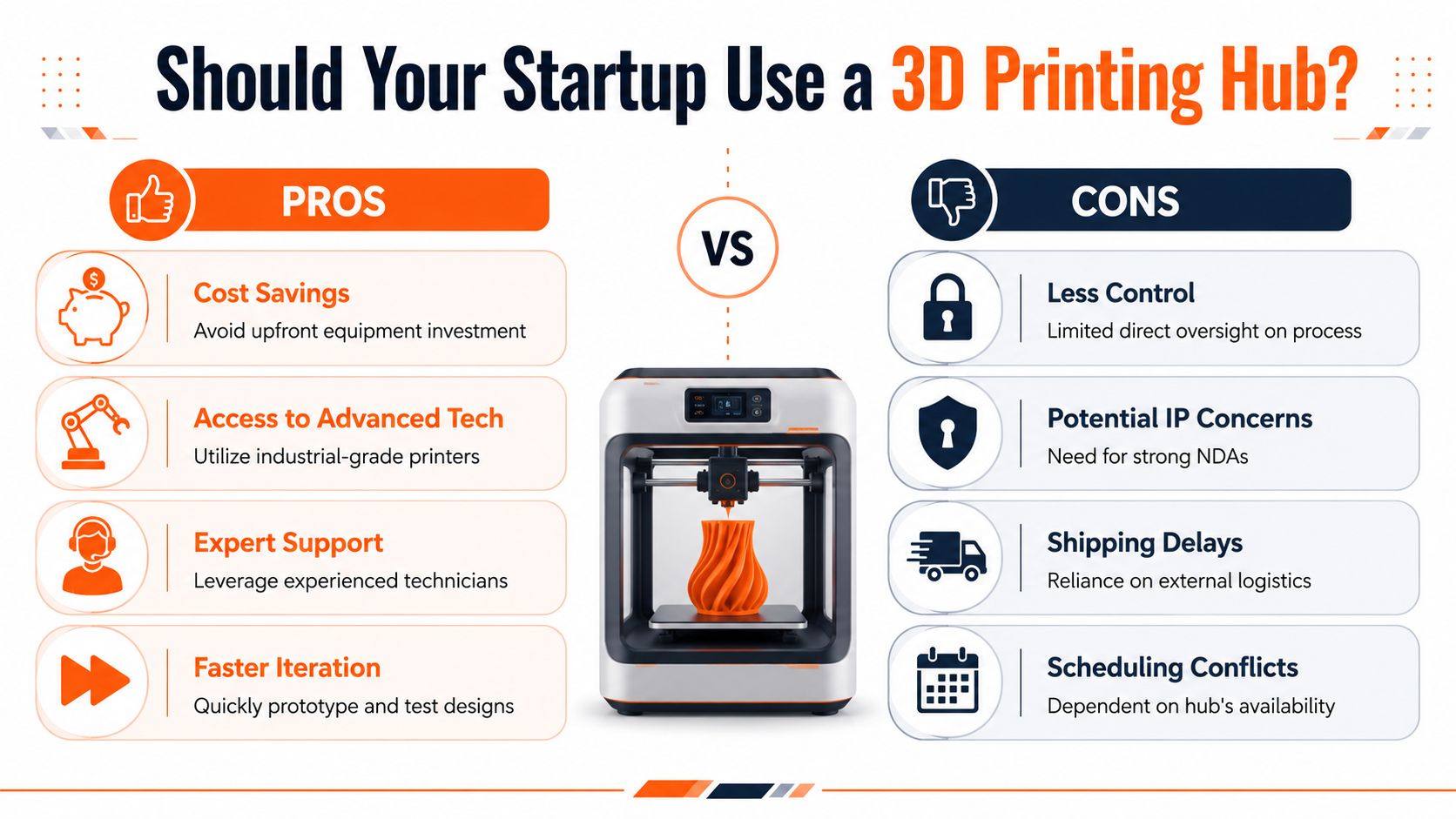
Should Your Startup Use a Hub
Most early-stage startups should use a hub first.
That's my view, and I'm not hedging. Buying a printer too early is one of those decisions that feels productive and often isn't. You get a machine, then you get maintenance, failed prints, calibration problems, resin mess, filament drama, and a new hobby you didn't ask for.
When a hub wins
A hub is the smart move when you're still answering basic product questions.
Use one if any of these are true:
- You're testing the idea itself and don't know whether the design will survive first contact with users
- You need more than one material or process because one printer won't cover all your needs
- You care about your own time and should be talking to customers instead of unclogging nozzles
- Your part has tricky geometry and you need someone who has seen similar failures before
Research from NC State's additive manufacturing hub makes this point clearly. Value isn't cheap access. It's expert help with limits like print volume, resolution, dimensional accuracy, and material properties, as described in NC State's look inside its 3D printing hub.
When buying a printer makes sense
I'm not anti-printer. I'm anti-premature-printer.
Buy one when:
- You already know your main material and process.
- You print often enough that outside coordination slows you down.
- Your team can handle the workflow without chaos.
- The parts you need fit the machine's real capability, not the marketing sheet.
A cheap desktop machine can be great for rough fit checks and internal mockups. It's bad as a universal answer.
Don't buy a printer because you want control. Buy one because you already have a repeatable use case.
The decision I'd make in your shoes
If you're under real budget pressure, a hub lets you keep your fixed costs low while you learn fast. That's the right trade early on.
If you're building consumer product samples, use a hub. If you need to test a few material options, use a hub. If you need one polished prototype to show buyers, use a hub. If your product line already has stable geometry and repeat orders, then start thinking about bringing simple prints in-house.
The trap is buying equipment to feel like a real company. Real companies solve the next problem in front of them. They don't collect shiny tools.
Your First Prototype Workflow Using a Hub
Here's the simplest way to do this without wasting a week.
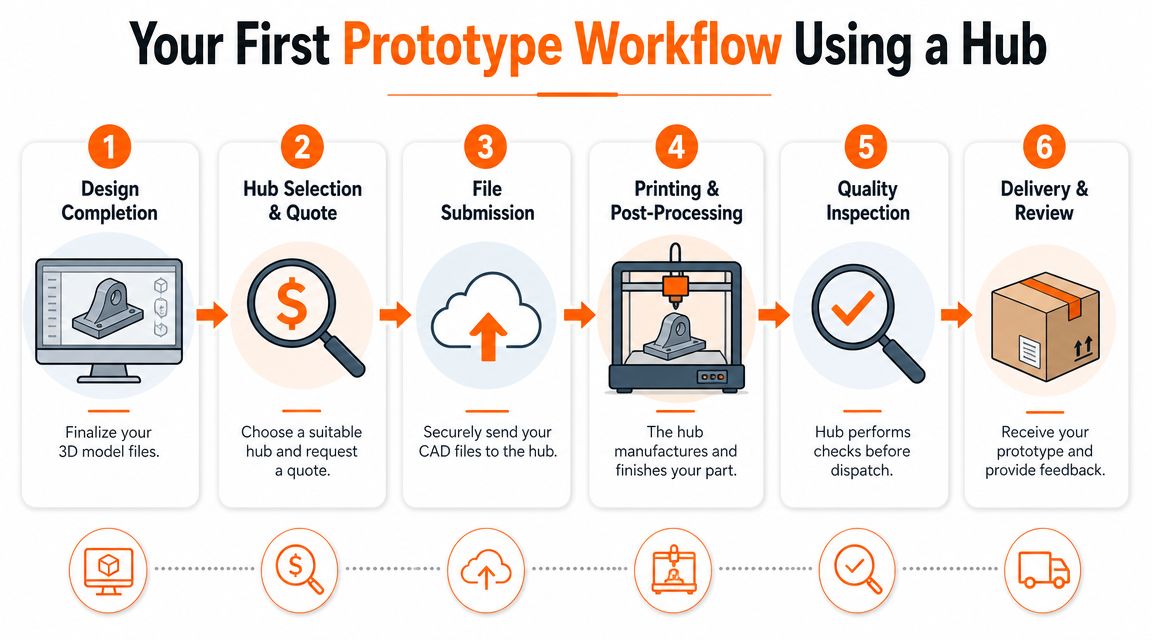
Start with one part. Not the full system. Not the whole product family. One part that answers the biggest question.
If I were prototyping a small product enclosure, I'd test the shell first. I'd want to know if the lid fits, if the ports line up, if the wall thickness feels cheap, and if the button openings are usable.
Step one through three
Clean the file before you send it
Export in a common format like STL or 3MF. Make sure the model is watertight or manifold, has sensible wall thickness, and includes real clearances. A beautiful CAD model can still fail if the mesh is broken.Pick the process based on the question
Mistakes in this step result in overspending or underbuilding. According to Hubs' 3D printing guide, use FDM when cost and speed matter most for early rounds. Move to SLA or SLS when you need tighter accuracy, smoother surfaces, or mechanical properties that better match real use.Get a quote from more than one place
Compare turnaround, process, finish, and whether a human reviewed the file. Don't choose on price alone.
If you want a better feel for how product teams move from concept to physical testing, this guide on prototyping and product design is worth keeping open in another tab.
Here's a quick visual if you want to see the workflow in action:
Step four through six
Once the hub has your file, your job isn't done.
Use this checklist:
- Confirm orientation-sensitive areas
Ask which surfaces will face supports, seams, or layer lines. - Flag cosmetic surfaces
If one side faces the customer, say that plainly. - Ask about shrink, fit, and snap features
Little assembly details can turn into reprints. - Request the raw part or finished part intentionally
Sometimes you want post-processing. Sometimes you need to inspect the truth.
A prototype only counts if it answers a question you care about.
When the part arrives, don't just admire it. Abuse it a little.
Try the screws. Press the tabs. Fit the mating part. Put it in the packaging. Hand it to someone who didn't design it and watch what they do wrong. That's where the useful feedback lives.
A simple first-round strategy
I like this sequence for founders:
| Round | Process | Goal |
|---|---|---|
| Round 1 | FDM | cheap fit and form check |
| Round 2 | SLA or SLS | better feel, better detail, stronger test part |
| Round 3 | refined process from Round 2 | customer sample or functional validation |
That keeps your first prototype honest. Cheap first. Better second. Polished third.
Understanding Cost and Quality Tradeoffs
When you get two quotes for the same part and one is way higher, don't assume one shop is greedy and the other is fair. The gap usually comes from process choice, finish expectations, manual labor, and how much risk the shop thinks your file carries.
A 3d printing hub is like air travel. Economy gets you there. Business class gets you there with more space, fewer annoyances, and a different bill. The destination looks the same on paper. The experience is not the same.
What changes the quote
The biggest cost drivers usually sit inside a few choices:
- Process choice
FDM is usually the cheap draft mode. SLA can give you cleaner detail and smoother surfaces. SLS can make tougher, more production-like parts for certain jobs. - Surface expectations
If you want a part to look investor-ready or customer-ready, someone may need to sand, cure, clean, or finish it. - Part geometry
Deep cavities, thin walls, support-heavy shapes, and awkward overhangs tend to create headaches. - Tolerance demands
The tighter your fit expectations, the more careful the setup usually needs to be.
Here's the mistake I see most. Founders pay for premium quality before they've earned the right to care. If you still don't know whether the cable exits in the right place, don't pay for a beauty pass.
How I'd choose quality level
Use this filter:
| Prototype purpose | What to prioritize |
|---|---|
| Internal fit check | low cost, fast turnaround |
| Functional test | material behavior, durability, tolerance |
| Sales sample | surface finish, visual quality, consistent detail |
If you're trying to understand where software and workflow are headed, Polymerize has a thoughtful piece on an AI-native approach to 3D printing. I'd read it less as hype and more as a reminder that quoting, file prep, and process selection are getting smarter. That's useful when you're comparing hubs that look similar on the surface.
Cheap parts are expensive when they force a bad product decision.
Ask for the minimum quality that answers your current question. That one habit will save you more money than chasing the lowest unit quote.
How to Pick the Right Chicago Hub
A slick website doesn't tell you much. Neither does a page full of printer model numbers.
The 3D printing industry still lacks standardized specs that fully describe real print quality, as Formlabs explains in its piece on demystifying 3D printer specifications. I agree with that completely. I care less about the machine list and more about whether the shop has clear design rules, useful documentation, and staff who can explain tradeoffs in plain English.
The questions I'd ask first
When you talk to a Chicago-area hub, ask these before you send payment:
- Have you printed parts like mine before
A cosmetic consumer product is different from a jig, a wearable, or a threaded enclosure. - What file issues do you see right away
Good shops spot weak walls, bad tolerances, and orientation traps fast. - What process would you choose if this were your own prototype
Their answer tells you whether they think like operators or order takers. - How do you handle revisions
You want a partner who expects iteration instead of acting annoyed by it.
What good support sounds like
A good hub says things like:
“This will print, but your snap fit may crack in this material.”
Or:
“We can make it smoother, but I'd save that for the next round unless this is customer-facing.”
That's what you want. Clear tradeoffs. No theater.
Bad hubs hide behind jargon. They toss machine specs at you, avoid recommendations, and leave you to decode the risk yourself. That's not support. That's a receipt.
A practical Chicago checklist
Use this before choosing a local partner:
- Check proximity only after capability
Fast pickup is nice. Correct process choice is better. - Ask for design guidelines
If they have none, that's a warning sign. - Request examples of similar work
Not every shop is good at consumer-facing parts. - Test them with a small order first
Don't hand over your whole roadmap on day one. - See how they communicate
Slow, vague replies usually stay slow and vague.
If you're looking for local options to start your search, this roundup on 3D printing in Chicago is a practical place to begin.
I'd rather work with a smaller Chicago shop that gives blunt advice than a larger one that acts like a black box.
Your Next Steps and Chicago Resources
You don't need a perfect prototype. You need the next honest prototype.
That's the part most founders miss. Your first print is a question, not a trophy. Use it to learn what breaks, what feels off, what confuses users, and what needs a second pass.
Where I'd start in Chicago
I'd split your options into two buckets.
First, check local makerspaces and community workshops if you want hands-on learning, early rough prints, and a cheaper path to experimentation. These work well when you're still changing the design often.
Second, look at commercial 3D printing services in Chicago when you need cleaner output, better process choices, and a smoother handoff. That's usually the better lane for founder time.
The network model behind all this has been around for a while. The early wave of 3D printing grew through connected printer owners, and by 2013 the number of consumer printers was doubling every year, according to 3DPrint's summary of the early 3D Hubs era. That history still matters because good prototype work is rarely solo. You need access, feedback, and people who can spot problems before you spend more money.
One practical option beyond the printing vendors themselves is Chicago Brandstarters, which runs small founder dinners and a private group chat for Chicago and Midwest builders. If you're stuck on prototype decisions, supplier questions, or how to turn a sketch into a sellable product, peer feedback can save you from dumb mistakes.
Your next move is simple. Pick one part. Pick one hub. Get one prototype made this week.
If you're building in Chicago and want honest feedback from other founders who are in the arena, join Chicago Brandstarters. It's a free community for kind, hard-working builders who want real conversations, small dinners, and practical help while they go from idea to traction.
Leave a Reply