

If you're staring at a Shopify payout that doesn't match your bank deposit, you already know the problem. The sale happened, the money landed, and the numbers still don't tie out. That's where most ecommerce books go sideways, because the issue isn't just bookkeeping. It's payout reconciliation, fee transparency, and clean handoff between your store, your books, and your inventory.
I'd treat accounting software for ecommerce as three layers. You need a general ledger, an ecommerce-to-GL bridge, and an inventory/order system. If you try to make one app do all three, you usually end up with messy books, bad margin data, and weekends lost to spreadsheet triage.
| Software | Best Revenue Range | Ecommerce Strength | Watch Out For |
|---|---|---|---|
| Wave | Early-stage, single-channel sellers | Cheap entry, basic bookkeeping | Weak payout reconciliation and thin inventory depth |
| Zoho Books | Early-stage to budget-conscious sellers | Solid low-cost accounting | Often needs extra connectors for ecommerce depth |
| QuickBooks Online | Most sellers under $10M | Strong general ledger, wide app ecosystem | You still need a bridge for clean payout matching |
| Xero | International and multi-currency sellers | Good reporting, clean interface | Same bridge problem, plus less native ecommerce depth than many sellers want |
| NetSuite | Roughly $5M+ and multi-entity brands | Advanced controls, consolidation, inventory depth | Cost and implementation are heavier |
Why Ecommerce Books Break in the First Place
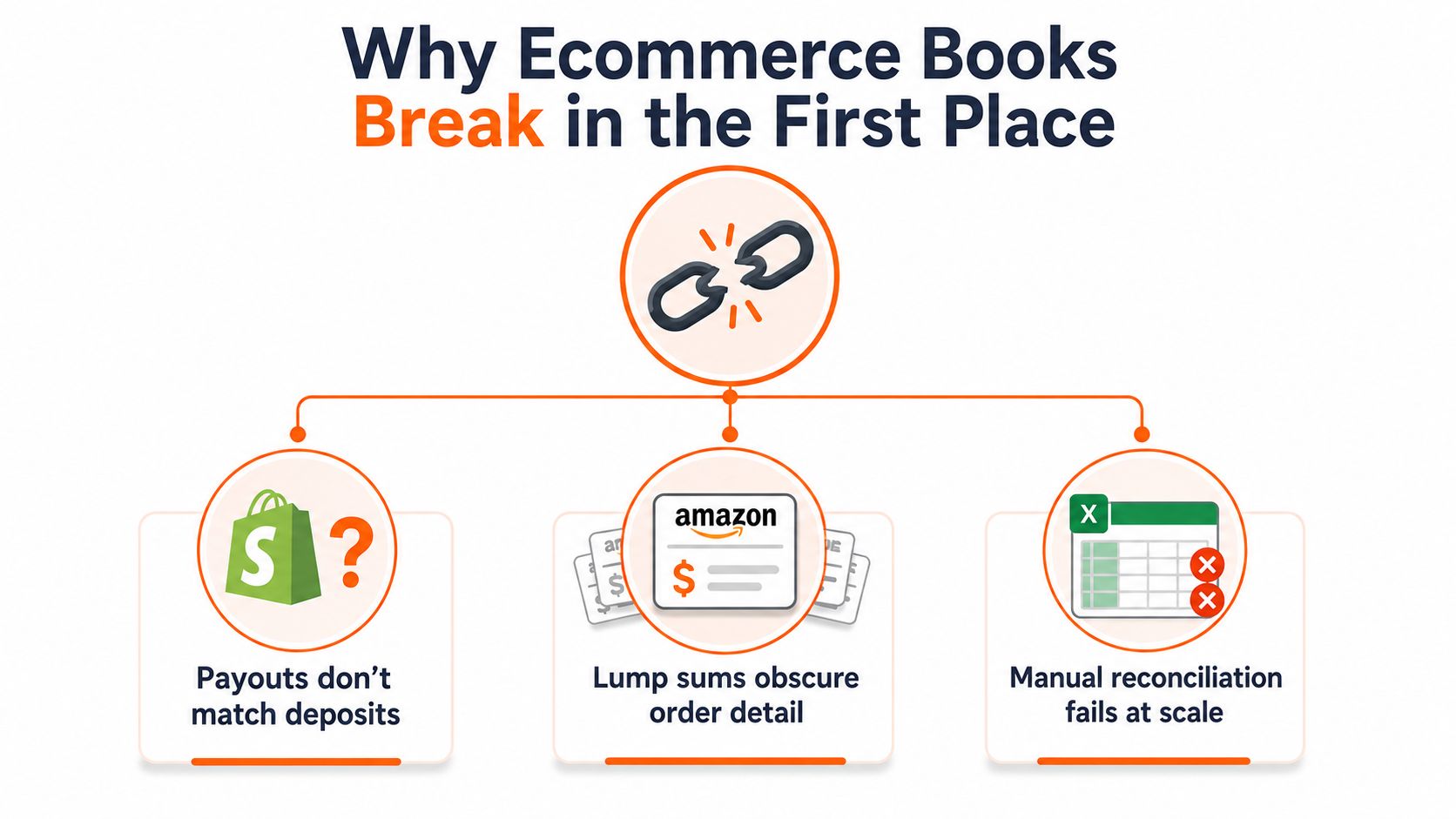
The first time this usually hurts is simple. You log into your bank account, see a deposit from Shopify or Amazon, and it doesn't match the orders you shipped. Fees are buried inside the lump sum, refunds hit later, tax got mixed in, and the spreadsheet you trusted starts looking like a crime scene.
That's not a small inconvenience. It's the point where manual reconciliation stops scaling. Current guidance on ecommerce accounting says sellers need to handle multi-channel sales, payouts, fees, refunds, inventory, and taxes in one workflow, because platforms batch payments instead of sending one payment per order, and that makes payout-based reconciliation necessary. The same guidance says the software choice depends on transaction volume, sales-channel mix, and reporting depth, with tools ranging from Wave or Zoho Books for early-stage sellers to QuickBooks Online Advanced or NetSuite for high-volume operations. See the practical overview in A2X's ecommerce accounting hub.
The three layers you actually need
The stack works when each layer does one job well.
General ledger. Your real books live here. QuickBooks Online, Xero, Wave, Zoho Books, and NetSuite sit here.
Ecommerce-to-GL bridge. This layer translates batched payouts into clean journal entries. A2X and Synder live here.
Inventory and order system. SKU movement, stock, and order detail live here. If this layer is weak, your margin data gets fuzzy fast.
Practical rule: if you can't explain a payout in one minute, your stack is wrong.
I see founders try to force the general ledger to do bridge work and inventory work too. That's like asking your checking account to run payroll and inventory counts. It looks simple until the books stop tying out.
If you're early, you can sometimes survive with a light stack and single-channel sync. Once you add Amazon or another marketplace, the bridge layer stops being optional. If you want a quick look at Amazon-heavy automation ideas, browse Amazon seller automation tools and compare them against the problem you're solving, which is settlement matching, not just task automation.
Features That Actually Matter in Ecommerce Accounting
Forget the generic checklist that every software page repeats. I care about the features that break first when sales volume rises, channels multiply, and payout timing gets ugly.
Payout-level reconciliation
This is the first test. Your software has to break a lump-sum deposit into sales, refunds, fees, discounts, and tax. If it can't, you'll spend your month chasing differences instead of closing the books.
Marketplace fee and refund separation
Amazon fees, Shopify payment fees, marketplace commissions, and refunds need their own lines. If they get mashed together, you lose margin clarity and you won't know whether a product makes money.
SKU-level inventory with FIFO costing
If you sell physical goods, you need inventory tracking tied to real stock movement and FIFO at minimum. Without that, your gross margin data starts drifting away from reality.
Multi-currency handling
Cross-border selling adds exchange rate noise. Your software needs to keep foreign currency sales, payouts, and gains or losses legible. If it can't, your financials will look clean and still be wrong.
Sales tax integration
Accounting software should connect cleanly to tools like TaxJar, Avalara, or Numeral. It should record tax collected, not pretend it handles filing on its own. That gap matters because bookkeeping software doesn't monitor nexus, register you in new states, or send returns for you.
Use accounting software to record the numbers. Use tax software to file the tax. Don't ask one tool to do both jobs badly.
A good litmus test is simple. If a vendor demo spends all its time on invoice templates and dashboards, I'm already skeptical. I want to see payout matching, tax handling, and inventory movement tied together, because those are the places ecommerce books usually fail.
QuickBooks vs Xero vs Wave vs Zoho Books vs NetSuite
I'll be direct. Most ecommerce sellers don't need a fancy accounting brand. They need the right ledger for their stage, paired with the right bridge and inventory setup.
Master accounting tips for ecommerce from Snyp are worth a skim if you want more context, but the decision still comes down to fit, not theory.
| Software | Best Revenue Range | Ecommerce Strength | Watch Out For |
|---|---|---|---|
| QuickBooks Online | Under $10M and beyond, for many US sellers | Strong app ecosystem, wide adoption, good core ledger | You still need a bridge for clean settlement matching |
| Xero | Under $10M, especially international or multi-currency sellers | Clean interface, solid reporting, good fit for global merchants | Less native depth for some ecommerce workflows |
| Wave | Early-stage, single-channel, low-cost setup | Free or near-free entry | Thin inventory and payout handling |
| Zoho Books | Budget-conscious sellers and early growth | Good low-cost accounting and useful basics | Often needs connectors for deeper ecommerce sync |
| NetSuite | Roughly $5M+ or multi-entity brands | Advanced inventory, consolidation, and controls | Heavier cost and implementation |
My picks by stage
Wave is fine if you're early, simple, and stingy on software spend. Use it if you're on one channel, you don't need deep inventory controls yet, and you want to keep overhead low.
Zoho Books is the smarter low-cost choice if you want more structure without jumping straight into the expensive tier. It works well when you care about basic accounting discipline and can live with extra connectors.
QuickBooks Online is the default answer for most US ecommerce operators. It covers the core ledger work well, and it's usually where I start if the business is already real and revenue is moving.
Xero is a strong pick if you sell across borders or care a lot about multi-currency reporting. It's often the cleaner feel for international sellers.
NetSuite is where I send larger, messier, multi-entity brands. Guidance in the ecosystem points to NetSuite becoming more appropriate around $5M+ when consolidation and advanced inventory controls stop being optional, and other guidance says QuickBooks Online and Xero generally cover businesses under $10M. For a higher-volume ecommerce operation, that's the line that matters, not brand loyalty. See the stage-based comparison in this ecommerce accounting guide from Expertise Accelerated and the related breakdown at Expertise Accelerated's ecommerce bookkeeping article.
If you're a Shopify-only founder and you're still pretending the ledger alone will solve payout matching, you're setting yourself up for manual cleanup later.
The Bridge Layer and Why You Probably Need One
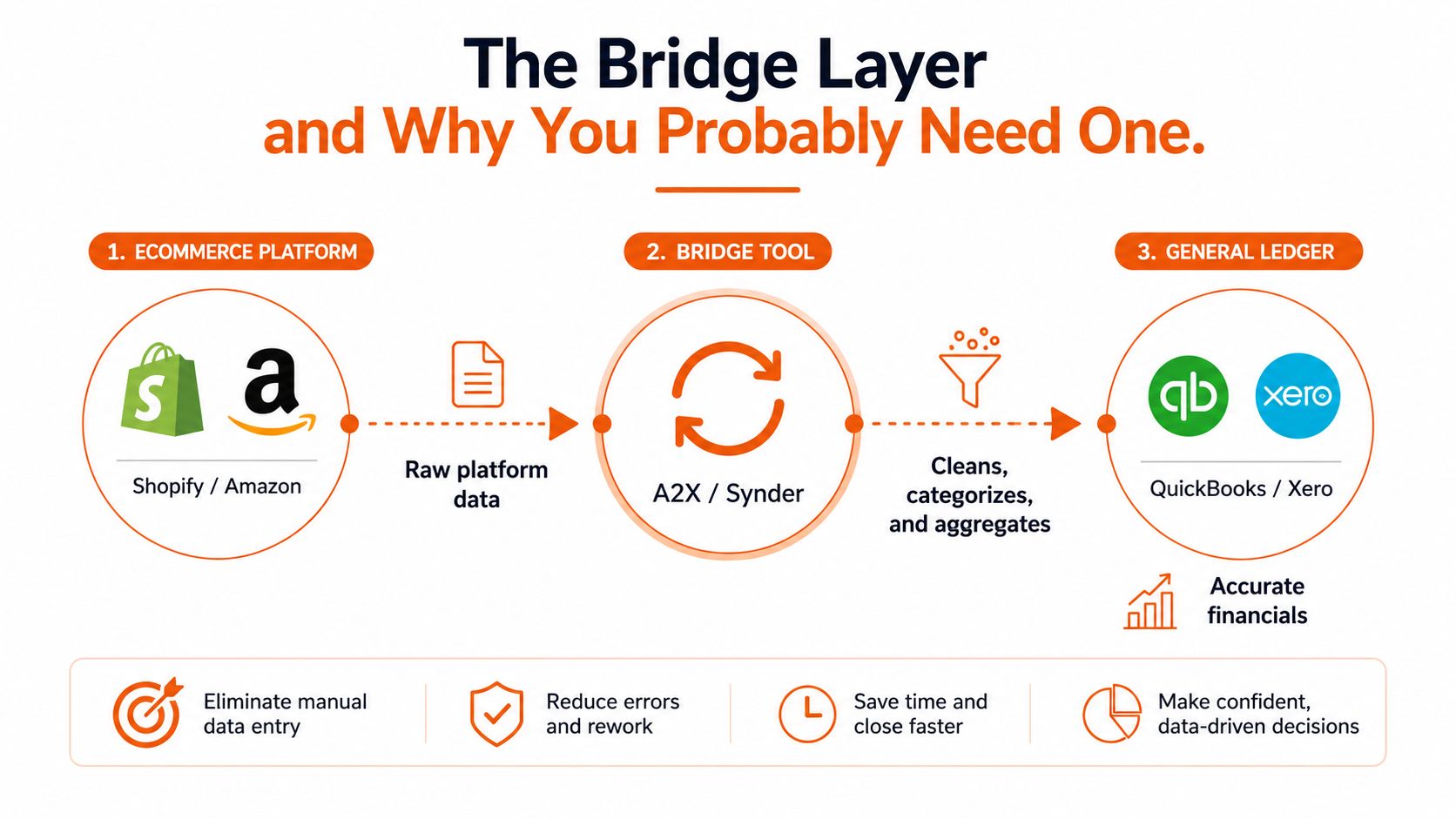
A bridge tool is the part most comparison charts skip. That's a mistake. It sits between your sales channels and your general ledger, takes batched platform data, and turns it into something your books can use.
A2X and Synder are the names you'll hear most often, and for good reason. A bridge translates raw payouts into journal entries that separate sales, fees, refunds, shipping, gift cards, discounts, and tax. That gives you books you can audit without making you manually reconcile every Amazon settlement by hand.
The practical rule is easy. If you're on one channel and volume is still low, you can sometimes live without a bridge. If you sell on Amazon plus any second channel, or your monthly volume is high enough that reconciliation starts eating your team's time, the bridge is no longer optional.
What breaks when you skip it
You get deposits that don't map cleanly to revenue. Refunds show up late or in the wrong place. Fees vanish into the wrong account. Your profit and loss looks tidy, but it isn't telling the truth.
That's why the common ecommerce stack is really a three-part system. The ledger records the books, the bridge normalizes platform data, and the inventory system keeps product movement honest. A practical 2026 view of ecommerce accounting says you should expect native or connector-based sync with channels like Shopify, Amazon, TikTok, and Etsy, payout-level reconciliation, SKU-level COGS with FIFO, multi-currency support, and a clean handoff to tax tools. That frame is laid out well in this 2026 ecommerce accounting guide.
If you skip the bridge, you're choosing manual labor over accuracy. That's not lean. It's just expensive in a different way.
For a broader system view, I also like this internal overview on e-commerce ERP planning, because once you add more channels, accounting stops being a standalone problem.
Integration Checklist for Shopify, Amazon, Payments, and Shipping
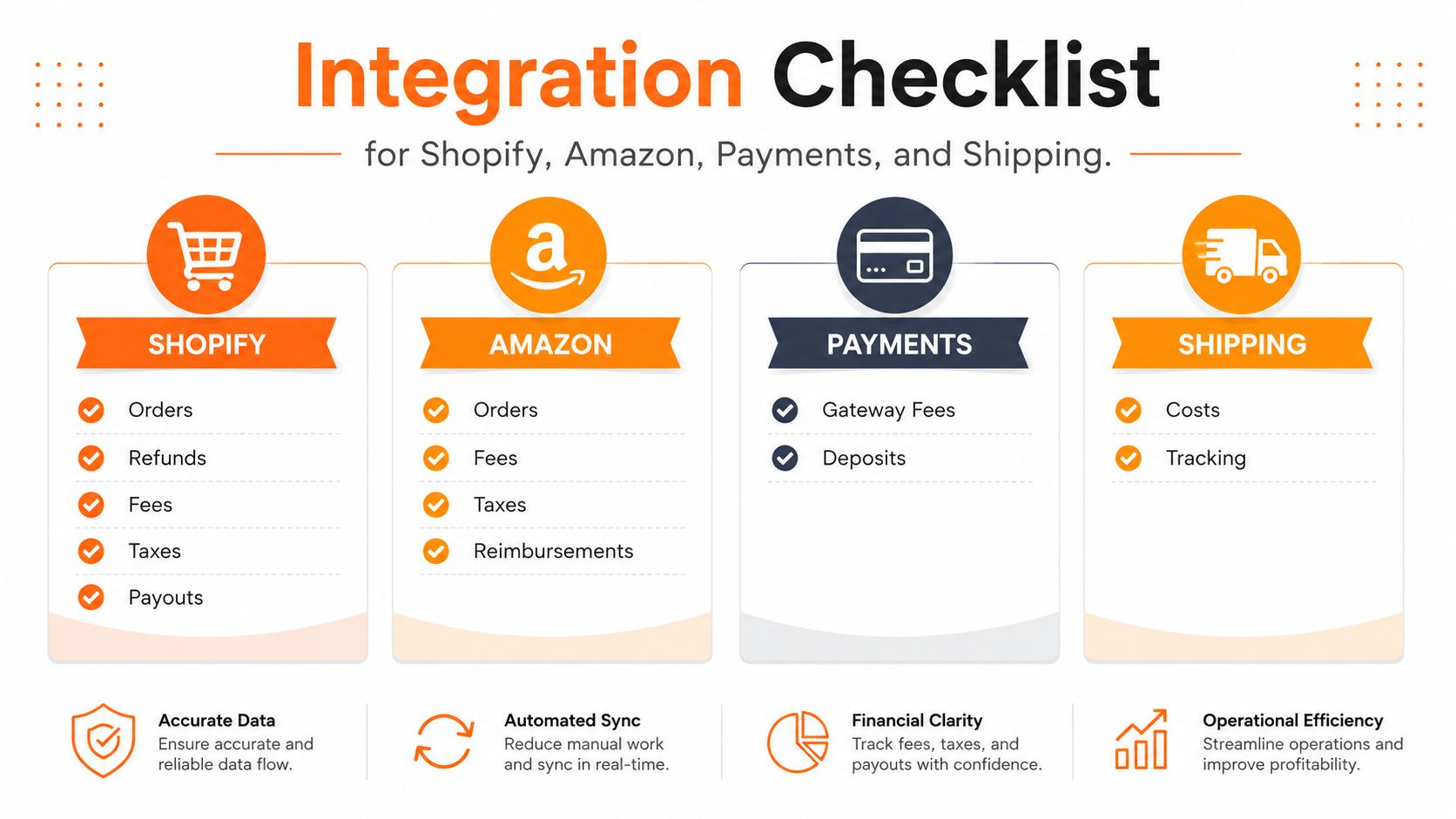
Before you buy anything, run the integrations like a checklist, not a demo. Every connector should answer one question, what exact data does it sync, and how does it treat batched payouts?
Shopify
Your Shopify connection must sync orders, refunds, fees, taxes, and payouts. If it only brings in sales totals, it'll look fine in a demo and fail in real life.
The common failure mode is shallow sync. That's when your books show revenue, but not the matching fee and refund detail you need for clean reconciliation. A plain-English reconciliation guide from SelfServe's 2026 ecommerce reconciliation article is useful if you want the logic behind what gets matched where.
Amazon
Your Amazon setup must pull settlement reports, FBA fees, refunds, and inventory events. Amazon is where manual reconciliation turns into a full-time distraction.
The failure mode here is trusting summary numbers too much. If the settlement data never gets broken apart, you'll never get a clean view of what Amazon paid you.
Payments
Stripe and PayPal need their own connector or clean ingest path. They should sync gateway fees and deposits so your bank feed and processor data can be matched without hand-editing every transaction.
The failure mode is double counting or missing fees. That's how cash looks better than it really is.
Shipping
ShipStation, ShipBob, and similar tools should sync shipping costs and tracking details where needed. You don't need every shipping stat in the ledger, but you do need the cost side visible.
The failure mode is buried fulfillment expense. When that happens, margin looks stronger than it is.
My rule: if a vendor can't explain how it handles one Shopify payout from sale to deposit, I don't trust the integration.
If you want another internal reference for channel planning, I'd pair this with multi-channel inventory management so your accounting and stock logic don't drift apart.
Pricing Reality by Stage
I care about price, but I care more about the wrong price at the wrong stage. Cheap software can be expensive if it makes you do the bridge work by hand. Expensive software can be dumb if you don't need the depth yet.
For sellers under $100K on a single channel, the light stack is usually enough. Wave or QuickBooks Solopreneur can keep you moving, and the cited cost for QuickBooks Solopreneur is $20/month. That's the lane where you want basic bookkeeping, simple bank matching, and as little software overhead as possible. See the cash discipline angle in this internal cash flow guide.
For sellers above $100K, the middle stack is the one I'd expect to see. The commonly cited combo is QuickBooks Online Plus plus A2X, at about $144/month total, using $115 for QBO Plus and $29 for A2X. At that point, you're paying for cleaner reconciliation, inventory tracking, and fewer accounting fires.
For larger multi-entity brands, NetSuite enters the conversation. The cited price is $999+ per month, quote-based. That tier makes sense when you need advanced inventory controls, consolidation, and more serious financial process control.
What you're actually paying for
- Startup stack: low monthly spend, basic sync, enough structure to avoid spreadsheet chaos.
- Growing stack: bridge plus ledger, cleaner payouts, better margin visibility, fewer mistakes.
- Scaling stack: stronger controls, multi-entity support, deeper reporting, less manual cleanup.
The wrong move is upgrading because a software page looks polished. The right move is upgrading when settlement matching, inventory, or entity structure makes the lighter stack annoying enough to slow decisions.
Decision Paths for Solo Founders and Growing Brands
If you're solo and running one Shopify store under $100K, I'd keep it simple. Use Wave or QuickBooks Solopreneur, skip the bridge for now, and sync only what you need from your single channel. The first 30 days should focus on bank feeds, a clean chart of accounts, and getting one monthly close done without drama.
If you're a growing brand in the $500K to $2M range across Shopify and Amazon, I'd move straight to QuickBooks Online Plus plus A2X. Add multi-channel sync, sales tax integration, and SKU-level COGS. The trigger to graduate is simple, once payout matching starts taking real time or Amazon settlements stop tying out cleanly, you're already late.
The migration order I'd use
- Set the ledger first. Pick QuickBooks, Xero, Wave, Zoho Books, or NetSuite based on stage.
- Add the bridge second. Bring in A2X or Synder once payouts need translation.
- Connect inventory last. Make sure the order system and stock counts agree before you trust margin reports.
That order matters because it keeps the books clean while you connect the rest. If you do it backwards, you end up chasing bad data across three tools.
I'd also set one rule for the team. No one should make a stage jump because a competitor uses a fancier platform. Upgrade when the current stack makes accurate books hard, not when the vendor deck sounds impressive.
Migration and Monthly Bookkeeping Workflow
Moving off spreadsheets is the easy part. Cleaning the history is where founders lose time.
Start by exporting your historical data from the old system. Clean the chart of accounts so it separates fees, refunds, marketplace commissions, and sales tax. Then connect your channels through the bridge and run one month in parallel before you trust the new setup.
A simple monthly close rhythm
- Reconcile payouts first. Match each platform deposit to its underlying sales, fees, and refunds.
- Review COGS next. Check that inventory movement and cost flow make sense.
- Run inventory checks. Look for stock that moved in the store but not in the books.
- Pull sales tax reports. Make sure collected tax is recorded cleanly and routed to your tax tool.
- Scan for odd swings. Margin drops, fee spikes, and missing refunds usually show up here first.
That cadence is enough for a one- or two-person team if the stack is set up right. It also gives you a clear definition of done each month, which matters more than fancy reporting dashboards. If the payouts tie, the inventory makes sense, and tax is recorded correctly, you've got a real close.
Clean books aren't about perfection. They're about getting to the truth fast enough to make a good decision.
If you're still running on spreadsheets, or your current stack makes Amazon settlements painful, I'd fix that now instead of waiting for year-end. A cleaner setup saves you from stale numbers, bad inventory calls, and tax stress you don't need. If you want help choosing the right stack and building the workflow around it, A CTA for Chicago Brandstarters is a good next step.
Leave a Reply