
Launching a new product is like trying to cook a gourmet meal for the first time. You have a dozen ingredients—engineering, marketing, sales, support—and they all need to come together at the right moment. Forget one thing, or get the timing wrong, and you end up with a mess. For founders and small teams, the pressure is real. The mix of terror and thrill is universal, but the outcome doesn't have to be a gamble.
How do you make sure every part of the recipe works? You don’t guess. You use a plan. A great product launch checklist template turns a chaotic process into a clear sequence of steps. Think of it as your mission blueprint. It ensures nothing vital gets missed, from the first marketing whisper to the final post-launch review. A solid plan isn't just nice to have; it's how you compete and win.
This guide cuts through the noise. We've gathered the best, most useful product launch checklist templates from places like Asana, Notion, and HubSpot. We’ll break down each one, showing you its structure with screenshots and direct links. Let's find the right blueprint to get your product ready for a successful liftoff.
1. Smartsheet
Smartsheet is for founders who love the clean, simple structure of a spreadsheet. It offers a library of downloadable product launch checklist templates, making it a great place to start if you want a no-frills foundation. The platform focuses on giving you truly free, editable files you can use right away.
The best part about Smartsheet's templates is their simplicity and directness. You can download them in formats you already use—Excel, Google Sheets, PDF—without creating an account. This is perfect for an early-stage founder who needs to draft a plan quickly without getting tangled up in new software.
Key Features and Offerings
Smartsheet's templates cover the basics well, giving you a solid starting point for almost any launch.
- Multiple Formats: Download and use templates in software you know: Excel, Google Sheets, PDF, and PowerPoint.
- Variety of Templates: It’s not a one-size-fits-all deal. You'll find a general product launch plan, a software-specific checklist, a marketing launch checklist, and more.
- Gantt Chart Integration: Some templates come with built-in Gantt charts. This visual timeline is a huge help for seeing how tasks depend on each other.
- Pre-built Structure: The checklists include key fields like task owner, due date, status, and notes, saving you from building a tracker from scratch.
Pros and Cons for Midwest Founders
| Pros | Cons |
|---|---|
| No-Cost Access: The templates are genuinely free to download, which is a big win for bootstrapped startups. | Requires Customization: The templates are generic and need a lot of tailoring to fit your specific business. |
| Familiar Interface: Using Excel or Google Sheets means there's no learning curve. Your team can jump right in. | Limited Collaboration: Real-time collaboration and automation are locked behind a paid Smartsheet plan. |
| Offline Capability: You can download the files and work on your launch plan without being tied to the internet. | Manual Updates: Without the full platform, you have to update progress and check off tasks by hand. |
Practical Tip: Download the "Product Launch Plan Template" in Google Sheets. Right away, add two columns: "Phase" (Pre-Launch, Launch Week, Post-Launch) and "Goal/Metric." This small tweak turns a generic list into a strategic tool tied to your business goals. This structured approach is key, and you can learn more about building this foundation by exploring how to start a product business.
Find the templates here: Smartsheet Product Launch Checklists
2. HubSpot
HubSpot gives you a 'Product Launch Plan' template pack that’s all about marketing strategy. It’s for founders who need more than a task list; they need a guide for positioning, market analysis, and messaging. This is your go-to if you want a solid file to shape your go-to-market plan without buying new software.
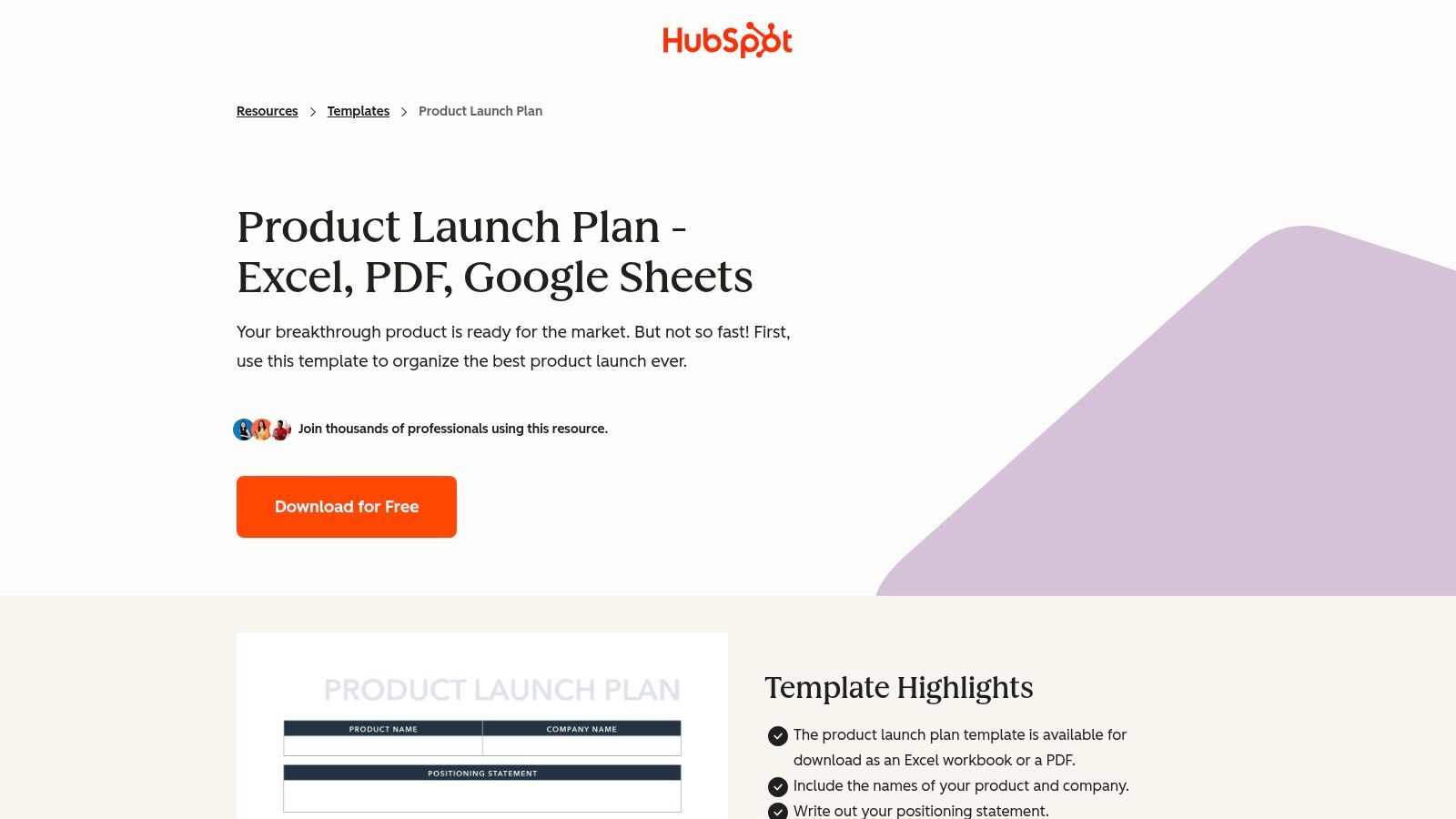
HubSpot's strength is its focus on the "why" behind your launch, not just the "what." It pushes you to think deeply about your audience, competitors, and value. You do have to give your email to get it, but the files land in your inbox in standard formats, ready to use immediately.
Key Features and Offerings
HubSpot's templates act as a strategic workbook, making sure you cover your marketing bases.
- Multiple Formats: The pack is available to download as an Excel, Google Sheets, or PDF file, offering flexibility.
- Strategic Planning Fields: The template has sections for product positioning, competitive analysis, market research, and messaging.
- End-to-End Structure: It guides you from high-level goals down to your promotional timeline and budget.
- Educational Support: HubSpot backs up the template with tons of helpful articles, giving you context for each section.
Pros and Cons for Midwest Founders
| Pros | Cons |
|---|---|
| Strong Marketing Focus: Perfect for founders who need to build a go-to-market strategy from the ground up. | Gated Access: You have to share your contact info, which means you'll get marketing emails from HubSpot. |
| No Software Commitment: You can use the files in Excel or Google Sheets without a HubSpot subscription. | Less Granular on Tasks: This is more of a strategic plan than a daily to-do list. |
| Great for First-Timers: The clear sections provide a roadmap for anyone planning their first product launch. | Requires Complementary Tools: You’ll still need a project management tool to track the actual tasks. |
Practical Tip: In the Google Sheet, use the "Competitive Analysis" tab to dig into your competitors' pricing. Add a column for "Pricing Model" (e.g., subscription, one-time) and another for "What Customers Get." This deep dive will be a huge help when you figure out your own pricing. This is a critical step in learning how to price a new product in a crowded market.
Find the templates here: HubSpot Product Launch Plan
3. Notion
Notion is an all-in-one workspace where you can mix documents, plans, and tasks. Think of it as digital LEGOs for your business. The official "Product Launch Checklist" template lets you copy a full launch plan into your workspace, turning a static list into a living, collaborative hub. It’s perfect for founders who want to keep product specs, marketing plans, and launch tasks all in one connected place.
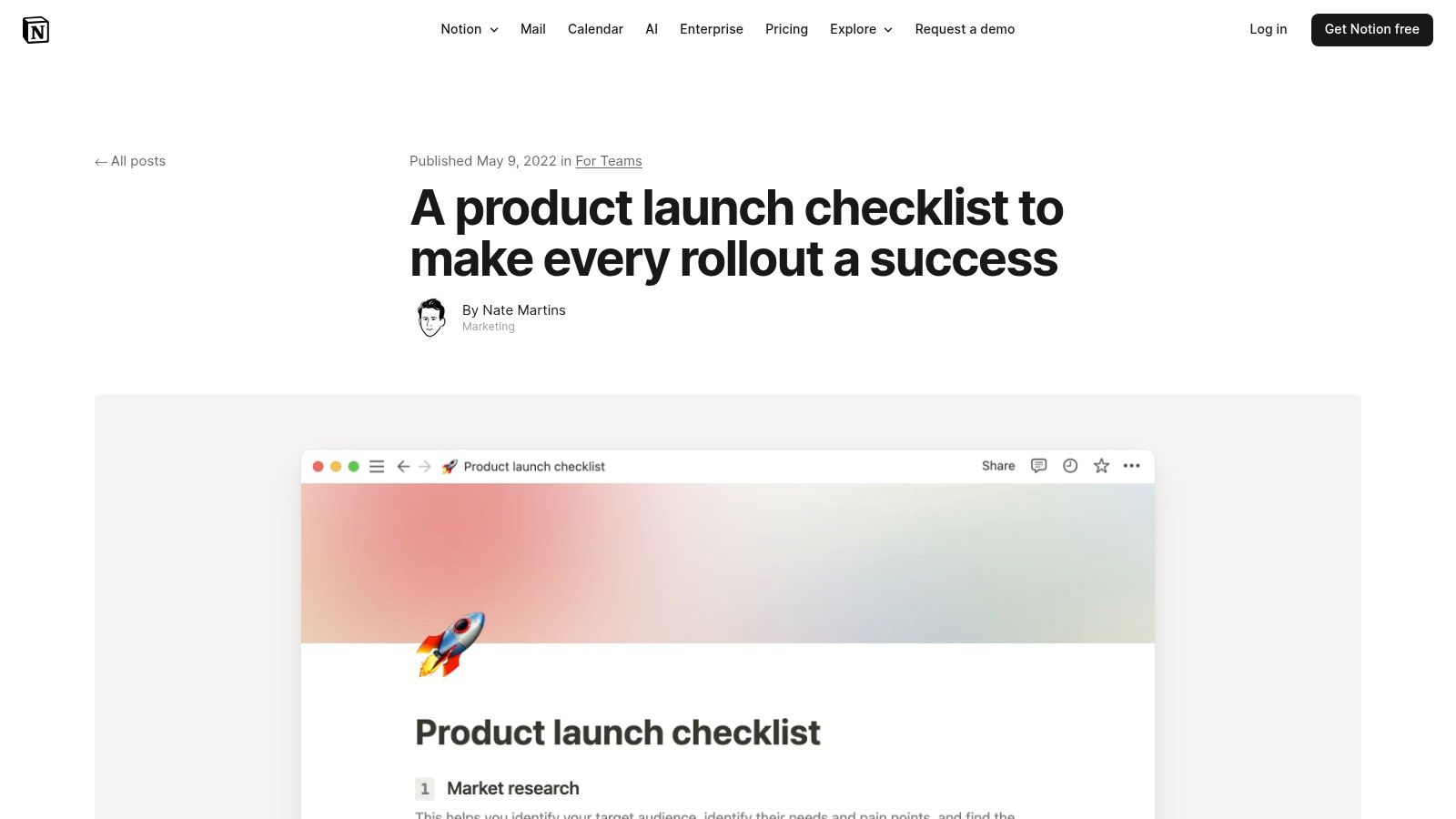
The biggest win with Notion is its flexibility. If your team already uses it for notes or wikis, adding this template is a breeze. It brings everything together, so you're not jumping between different tools to manage your launch.
Key Features and Offerings
Notion’s template is more than a list; it’s a powerful database you can shape to fit your needs.
- Centralized Launch Hub: The template gives you a central page with tasks, owners, and deadlines, so everyone knows what's happening.
- Customizable Views: Easily switch how you see your launch plan. Use a Table for a detailed overview, a Kanban Board to see progress, and a Timeline to manage deadlines.
- Integrated Documentation: Link tasks directly to other Notion pages, like your marketing strategy or customer feedback notes.
- Free and Immediate Access: The template is free to copy for anyone with a Notion account, and the free plan is very generous.
Pros and Cons for Midwest Founders
| Pros | Cons |
|---|---|
| Combines Collaboration and Docs: Keeps your plans and the work itself in one place, so you waste less time switching apps. | Best for Existing Notion Users: You get the most out of it if your team is already using Notion. |
| Highly Adaptable: The template is a great starting point you can easily change for a simple MVP launch or a complex software rollout. | Potential for Complexity: Notion’s flexibility is also its challenge. It's easy to over-engineer your checklist. |
| Excellent Free Tier: Notion’s free plan is strong, making this a powerful, no-cost option for bootstrapped startups. | Advanced Features are Paid: Things like Notion AI, better permissions, and longer version history cost money. |
Practical Tip: After copying the template, add a "Validation" checkbox property to each task. Before you spend time or money on a big launch activity, this forces you to ask: "Have we proven the assumption behind this task?" This mindset is crucial. You can learn more about how to validate a business idea to be sure you're building something people really want.
Find the templates here: Notion Product Launch Checklist
4. ClickUp
ClickUp is for founders ready to move beyond spreadsheets into a powerful, all-in-one project tool. It offers a "Product Launch Checklist" template that acts less like a list and more like a command center for your entire launch. It’s built for teams managing complex projects where tasks, timelines, and chats need to live in one spot.
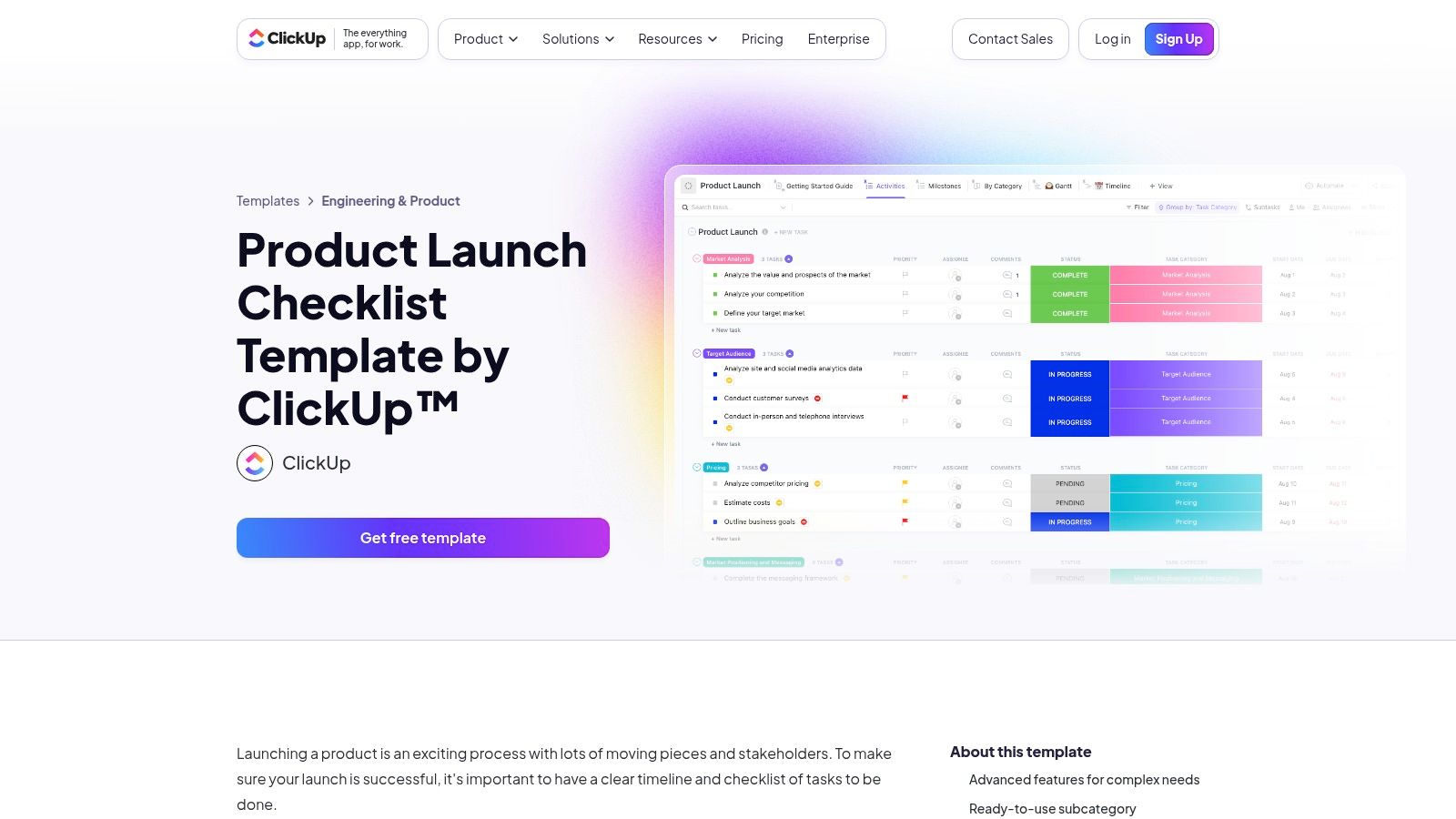
The key difference with ClickUp is that the template isn't just a file; it's a complete workspace you add directly to the platform. This is perfect for a growing team trying to coordinate marketing, development, and operations all at once. It turns a simple checklist into a truly collaborative plan.
Key Features and Offerings
ClickUp’s template is packed with features to help manage the messy details of a launch.
- Pre-configured Views: It comes with multiple built-in views, like a Gantt chart, a Kanban board, and a classic list. Your team can see progress in the way that works best for them.
- Custom Statuses: Go beyond "to-do" and "done." Use statuses like "In Progress," "For Review," and "Complete" to get a clear, real-time picture of where every task stands.
- Integrated Collaboration Tools: Assign tasks, set dependencies, add tags for easy filtering (e.g., #marketing, #dev), track time, and even manage emails within a task.
- Robust Free Tier: You can import and use the template on ClickUp's generous "Free Forever" plan, letting you test its power before you pay.
Pros and Cons for Midwest Founders
| Pros | Cons |
|---|---|
| All-in-One Solution: Brings planning, task management, and team communication together, so you need fewer tools. | Significant Learning Curve: If you're new to this kind of software, the number of features can feel like a lot at first. |
| Scalable for Growth: The platform can easily grow with your startup, from a two-person team to a larger organization. | Evolving Pricing Tiers: ClickUp's plans change. It's smart to check the current offerings to see if they fit your budget. |
| Powerful Automation: Set up automations for repetitive work, like assigning tasks when a status changes. | Can Be Overkill for Simple Launches: For a very simple launch, the platform's complexity might be more than you need. |
Practical Tip: Once you import the template, use the "Dependencies" feature right away. Link your "Finalize Packaging" task to your "Place First Order" task. This creates a smart, automated workflow that prevents costly mistakes, like ordering inventory before the design is even approved. This small step uses the tool’s power to make your launch plan stronger.
Find the template here: ClickUp Product Launch Checklist
5. Asana
Asana takes you from static files into a living, collaborative project. For teams needing to coordinate many moving parts, Asana's official product launch template offers a powerful, central command center. It’s designed to manage everything from pre-launch marketing to post-launch bug fixes in one shared space.
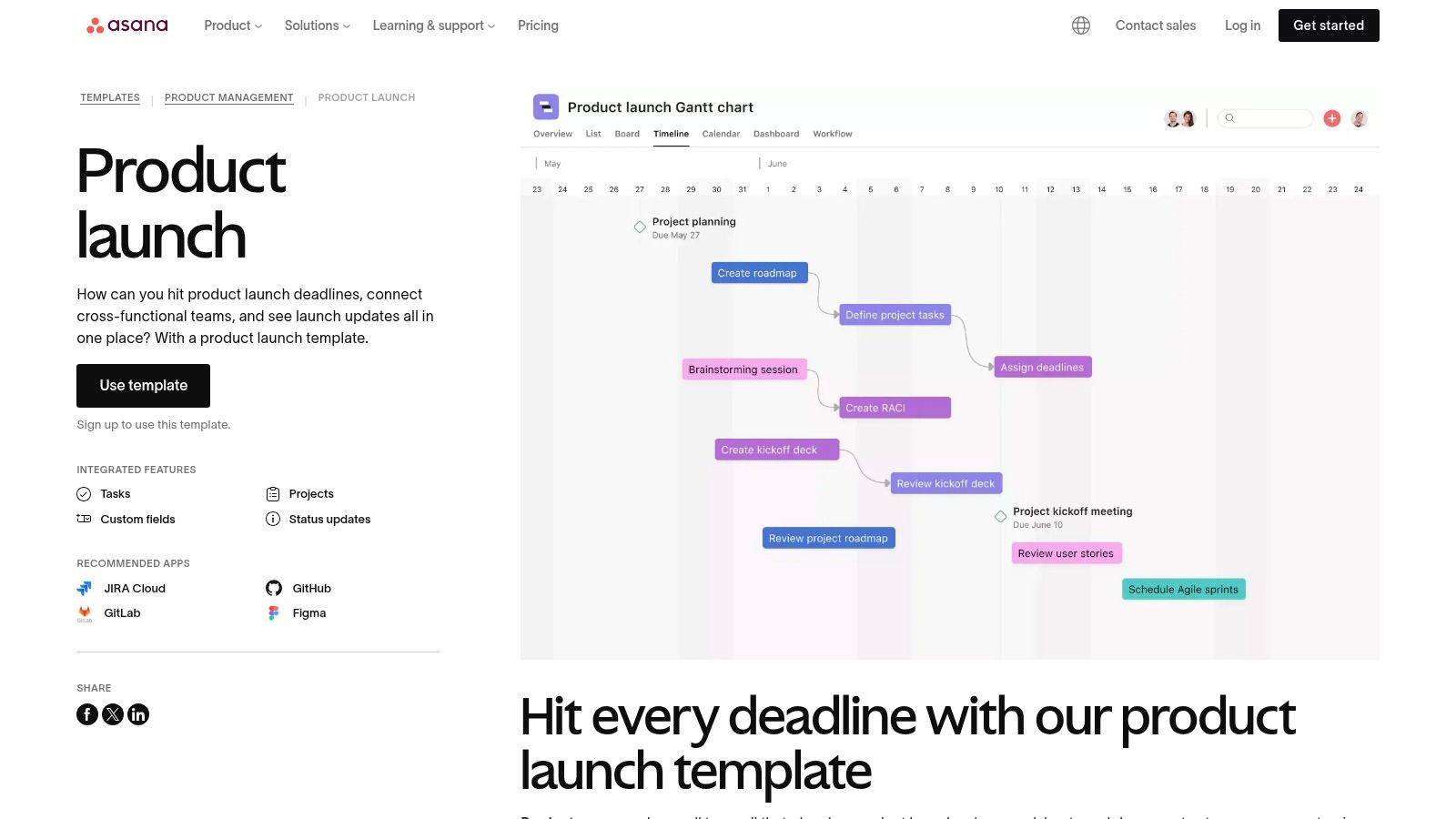
The template's real power is in creating clarity and accountability. A spreadsheet can get outdated fast. In Asana, tasks are living items that can be assigned, commented on, and updated in real time. This is a game-changer for a startup where the marketing lead needs to know the exact moment a new feature is live to send the announcement email.
Key Features and Offerings
Asana’s template leverages the platform's full toolkit, turning a simple checklist into an interactive plan.
- Multiple Project Views: Instantly switch how you see your plan. Use the List view for a simple to-do list, Boards for a Kanban workflow, Calendar for deadlines, and the Timeline for a Gantt chart that shows dependencies.
- Centralized Asset Management: Attach key documents and designs directly to tasks. With integrations like Google Drive, your final ad creative is linked right to the "Launch Social Campaign" task.
- Cross-Functional Coordination: The template comes pre-structured with sections like "Planning," "Engineering," and "Marketing," making it easy to see how different teams' work overlaps.
- Status Reporting: Use built-in tools to give progress updates to stakeholders without pulling everyone into another meeting.
Pros and Cons for Midwest Founders
| Pros | Cons |
|---|---|
| Scalable Structure: The template works for a two-person team but scales easily as your company grows. | Requires Team Buy-In: The tool only works if the whole team uses it. If half your team sticks to email, it creates confusion. |
| Clear Accountability: Every task has a clear owner and due date, which means fewer things fall through the cracks. | Paid Plan for Advanced Features: While the template is free, key features like custom fields and advanced reporting require a paid plan. |
| Excellent for Collaboration: Real-time updates and task-specific chats keep everyone on the same page without messy email threads. | Learning Curve: For teams new to project management software, there's a learning period to get the hang of all the features. |
Practical Tip: When you load the template, immediately create a "Launch Comms" section. Inside, add a task for every channel you'll use (e.g., "Draft Email Announcement," "Schedule Product Hunt Post"). Attach the draft copy directly to each task. This creates a single source of truth for all your messaging, which keeps everything consistent.
Find the template here: Asana Product Launches Template
6. Airtable
Airtable turns a product launch checklist from a flat document into a smart, connected database. It’s the perfect choice for founders who need more than a simple to-do list. Airtable gives you a customizable product launch template you can copy, providing a powerful base for tracking tasks, managing handoffs, and seeing your whole launch timeline.
Airtable’s magic is how it blends the ease of a spreadsheet with the power of a database. You can link tasks to team members, marketing assets to campaign goals, and launch dates to a master calendar. This is perfect for a startup managing dependencies between a design firm, a manufacturing partner, and a PR agency. Everyone works from the same playbook.
Key Features and Offerings
Airtable's template is a starting point you can shape to fit your exact needs.
- Flexible Schema: You can easily add, remove, or change fields. Need to track influencer outreach, ad spend, or link to Figma mockups? You can create custom fields for all of it.
- Multiple Views: Go beyond the grid. See your launch timeline on a Calendar, manage tasks with a Kanban board, or group tasks by owner. This lets everyone see the information in the way that helps them most.
- Record Templates: If you have recurring task sets for every launch, you can create a template to clone them instantly. This saves a ton of setup time for future products.
- Scalability: Your Airtable base can grow with your company. It can become the central hub for your entire product operation, connecting roadmaps, user feedback, and launch plans in one place.
Pros and Cons for Midwest Founders
| Pros | Cons |
|---|---|
| Strong for Cross-Team Handoffs: The database structure is great for tracking how work moves between marketing, product, and sales. | Requires More Setup: You'll need to invest time upfront to customize the base, set up views, and define your workflow. |
| Scales Into Broader Operations: Airtable can grow from a simple checklist into a full-blown product operations hub. | Paid Tiers for Heavy Usage: The free plan has limits. As your team grows, you'll likely need to pay, so check the current pricing. |
| Visually Intuitive Interface: The clean, colorful UI makes it easier to manage complex projects than a dense spreadsheet. | Learning Curve: While easier than a traditional database, there's still a learning curve for concepts like linked records and automations. |
Practical Tip: After you copy the template, immediately create a "Linked Record" field that connects your tasks to a separate "Team Members" table. This lets you assign tasks and, more importantly, create a personal "My Tasks" view for each person. This simple tweak turns a master checklist into a personalized action plan, boosting clarity and accountability.
Find the templates here: Airtable Product Launch Checklist
7. Miro
Miro changes the idea of a product launch checklist from a linear list to a dynamic, visual workspace. It’s for founders who think visually and need to get everyone on the same page. The platform offers a "Product Launch Lifecycle" template, which is an interactive whiteboard for mapping out every phase of your launch.
Miro's strength is its focus on collaboration and shared understanding. Instead of just a list of tasks, you get a bird's-eye view of how marketing, sales, and product development all connect. This is super valuable for a team spread across different locations; everyone can see the whole plan and their part in it at the same time.
Key Features and Offerings
Miro’s template is built for interactive planning sessions that keep everyone aligned.
- Visual, Infinite Canvas: The template gives you a flexible, drag-and-drop space to map out launch phases, create task cards, and draw connections between activities.
- Pre-filled and Blank Versions: It includes a filled-in example board to show you what’s possible, plus a blank template you can customize from scratch.
- Interactive Task Cards: Each task can be assigned an owner, a due date, and a status, turning your visual map into a real plan.
- Optional Unito Integration: If your team uses tools like Jira or Asana, an optional integration can sync your visual plan in Miro with the tasks in your project management tool.
Pros and Cons for Midwest Founders
| Pros | Cons |
|---|---|
| Excellent for Visual Workshops: Perfect for collaborative brainstorming, whether your team is in the same room or spread out. | Not a Standalone Execution Tool: While great for planning, daily task management might still be better in a dedicated project tool. |
| Improves Stakeholder Alignment: The visual format makes it easy to share the strategy with investors or advisors so everyone gets it quickly. | Collaboration Features Gated: Advanced features like private boards and unlimited collaborators are part of Miro's paid plans. |
| Flexible and Adaptable: The freeform canvas lets you tailor the plan to your product's specific needs. | Potential for Overwhelm: An infinite canvas can get messy fast if you're not careful. It helps to have someone keep it organized. |
Practical Tip: Use the Miro template for your launch kickoff meeting. Start by having each team lead add sticky notes for all their expected tasks. Then, as a group, drag and drop them into the right phases (Pre-Launch, Launch, Post-Launch). This hands-on, visual exercise builds instant team buy-in and helps you spot dependencies you might have otherwise missed.
Find the template here: Miro Product Launch Lifecycle Template
Product Launch Checklist: 7-Tool Comparison
| Tool | 🔄 Implementation complexity | ⚡ Resource requirements | 📊 Expected outcomes | 💡 Ideal use cases | ⭐ Key advantages |
|---|---|---|---|---|---|
| Smartsheet | Low–Medium: downloadable spreadsheets; Smartsheet features add complexity | ⚡ Minimal to download; paid plan for collaboration/automation | 📊 Structured checklists; some templates include Gantt | 💡 Spreadsheet-first teams, offline use, simple launches | ⭐ Truly free, multi-format templates (Excel/Google/PDF/ PPT) |
| HubSpot | Low: gated download; files are ready-to-use templates | ⚡ Minimal file use offline; email/form required to access | 📊 Marketing-centric end‑to‑end launch plan (positioning, messaging) | 💡 Founders or marketing teams needing strategic plan files | ⭐ Well-structured marketing templates with supporting content |
| Notion | Medium: duplicate into workspace; customizable databases/views | ⚡ Low for core features; advanced features/AI need paid tiers | 📊 Centralized docs + task tracking with multiple views | 💡 Teams already using Notion who want docs and tasks together | ⭐ Combines documentation and task management in one place |
| ClickUp | Medium–High: importable template with dependencies and time tracking | ⚡ Free tier available; paid plans for full PM features | 📊 Robust PM execution: milestones, dependencies, time tracking | 💡 Complex, cross-functional launches requiring PM controls | ⭐ Comprehensive project-management features and views |
| Asana | Medium: template inside Asana; requires team adoption | ⚡ Free tier; paid plans for advanced coordination at scale | 📊 Centralized timelines, status reporting, asset linkage | 💡 Cross-functional teams scaling coordination and reporting | ⭐ Clear structure and integrations for enterprise workflows |
| Airtable | Medium: customizable schema and record templates; setup required | ⚡ Medium–High: paid tiers for heavy use and automations | 📊 Flexible tracking of deliverables, handoffs; scales to product ops | 💡 Teams tracking handoffs or building product operations | ⭐ Highly customizable schema and cloning of common task sets |
| Miro | Low–Medium: ready visual board; syncs (Unito) add complexity | ⚡ Low for workshops; paid for advanced collaboration and integrations | 📊 Visual alignment and planning; less suited for execution tracking | 💡 Visual workshops, stakeholder alignment, early-phase planning | ⭐ Infinite canvas with pre-filled examples and strong shareability |
The Checklist Is Just the Start. Your Community Is the Fuel.
You've seen seven powerful tools, each offering a different way to organize your launch. From the neat grid of Smartsheet to the creative canvas of Miro, you now have a full toolkit. We've looked at templates for all kinds of products and broken them down by phase. The goal was to give you more than a list; it was to give you a map.
A product launch checklist template is like the blueprint for a house. It shows you where the walls go and how everything connects. It stops you from putting on the roof before you’ve laid the foundation. Following the blueprint is how you build something that lasts. But a blueprint can't hammer the nails for you, and it won't be there when an unexpected storm hits.
That’s where you come in. Your checklist is your starting point, your source of truth. But the real work begins when you start checking off boxes—and, more importantly, when things don't go according to plan.
From Plan to Reality: Choosing Your Tool and Making It Your Own
Your first step is to pick the right tool. Don't get stuck overthinking it. Just match the tool to how your team already works.
- For spreadsheet lovers: Airtable or Smartsheet will feel like a powerful upgrade.
- For all-in-one business hubs: If your CRM is your command center, HubSpot plugs right in.
- For total customization: Notion and ClickUp are blank canvases, perfect for building a unique system.
- For straightforward project management: If you just want clear, simple task management, Asana is a champion that gets the job done.
Once you’ve chosen your platform and template, the most important work begins: making it your own. A generic template is a starting point, not the destination. Sit down with your team and be ruthless. Delete tasks that don't apply. Add steps that are unique to your product. And assign a single owner to every single task. A task without an owner is a task that will never get done. This isn't just busywork; it's how you take a generic map and mark your own trail on it.
Your Unfair Advantage: Moving Beyond the Tasks
The checklist manages the what. It tells you to "Draft launch day social media posts." It makes sure no detail is forgotten. But it can’t prepare you for the how and the why. It won't help you decide whether to delay your launch because of a last-minute bug, or how to handle that first piece of tough customer feedback.
This is the human side of building. It’s a journey of incredible highs and lonely lows. The most successful founders know that building isn't a solo sport. They surround themselves with people who are on the same path, people who just get it.
Your launch plan will get you to launch day. But your community of trusted peers will get you through it, and on to the next challenge, and the one after that. They are the ones who will celebrate your wins, help you fix your failures, and remind you why you started this in the first place. So, pick your tool, customize your template, and get organized. Then, take the most important step of all: find your people.
At Chicago Brandstarters, we build those communities. We connect kind, ambitious founders in the Midwest through small, private peer groups to share the real stories behind the checklist. If you’re ready to build alongside people who will support and challenge you, check out our community.